
Sovrn Commerce offers three ways to link to a product: Sovrn Links, Price Comparison Pages, and Direct Links. The difference between them is who chooses the retailer your audience lands on.
-
Sovrn Links: Sovrn chooses the retailer that earns you the most.
-
Price Comparison Pages: your audience chooses the retailer.
-
Direct Links: you choose the retailer.
All three link types earn through your Sovrn Commerce account, and you can use more than one type across your content.
|
|
Sovn Links |
Price Comparison Pages |
Direct Links |
|---|---|---|---|
|
Who chooses the retailer |
Sovrn |
Your audience |
You |
|
Where the click goes |
The in-stock retailer that earns you the most |
A page listing retailers that carry the product |
The retailer you linked to (exact destination URL you add) |
|
What your audience sees |
The product page for the exact product you recommended |
A choice of retailers, then the product page they pick |
The retailer's product page |
|
Best for |
Earning the most from each click without managing retailers |
Giving your audience options on price or retailer |
Recommending a specific retailer, or content that is retailer-specific |
Sovrn Links
A Sovrn Link connects to a product instead of a single retailer. At the moment of each click, Sovrn sends the reader to the in-stock retailer that will earn you the most for that product.
How it works
You create a Sovrn Link for a product. When your audience clicks, Sovrn checks which retailers have that exact product in stock and compares their commission rates and earnings per click (EPC). The click goes to the retailer that earns you the most.
Your audience will always land on the exact product you recommended. Sovrn changes the retailer, not the product.
When to use it
-
You want to earn the most from each click without researching retailers yourself.
-
You don't have a preference for a specific retailer.
-
You want to avoid lost earnings when a retailer runs out of stock or changes its commission rate.
Price Comparison Pages
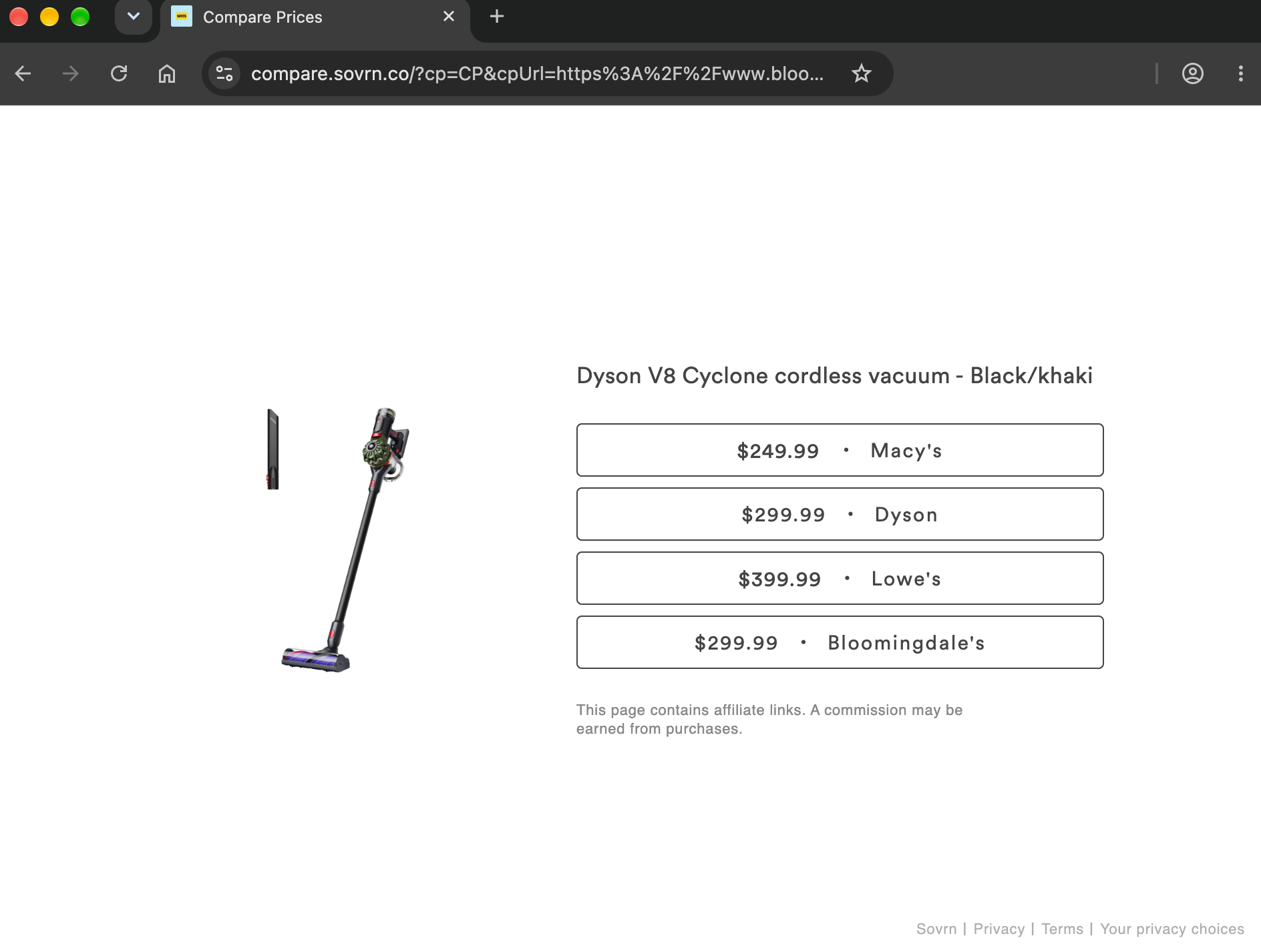
A Compare Page lets your audience choose where to buy. When they click, they see a page listing retailers that carry the product you recommended, and they pick one.
How it works
You create a Compare Page link for a product. When your audience clicks, they land on a page that shows retailers selling that same product. You earn from the program of whichever retailer they choose.
When to use it
-
You want to give your audience a choice while still earning on the click.
-
Your audience is price-conscious or has various retailer preferences.
Direct Links
A Direct Link sends your audience to the retailer you choose. You pick the merchant and the product page, and every click goes there.
How it works
You create a link to a product page at a specific retailer. Sovrn converts it into an affiliate link, and you earn from that merchant's program when your audience clicks or buys.
When to use it
-
You want to recommend a specific retailer, such as one you have a relationship with.
-
Your content is about a product sold by only one retailer.
-
You want full control over where your audience lands.
FAQs
Which link type should I use? It depends on who you want to choose the retailer. If you care most about earnings and don’t need a specific retailer, use a Sovrn Link.
Can I use different link types in the same piece of content? Yes. Each link is independent, so you can use a Direct Link for one product and a Sovrn Link for another.
Will a Sovrn Link send my audience to a different product? No. Sovrn Links only route to retailers that carry the exact product you linked to.
How do I see earnings by link type? Add a tracking tag to each link, either when you create the link or afterward. You can then filter by that tag in Analytics under Overview, Content, and Revenue.